Pro-grade photo editing, powered by AI — and it stays on your phone.
Lumea pairs a precise, hands-on editor with a full AI studio — erase distractions, restore faded shots, swap skies and expand past the frame. For anyone who wants their photos to look edited on purpose.
Everything a good photo needs.
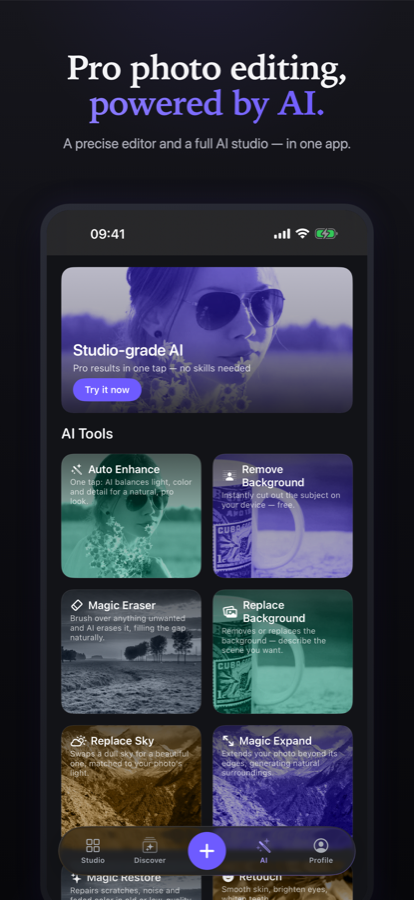
Ten pro tools — Crop, Adjust, Filters, Curves, Text, Frames, Cutout, Overlays, Masking and Retouch — plus an AI studio for the parts nobody enjoys doing by hand.
Edited on your device. Private.
Your photos are edited on your phone and stay there — offline, with no account. A photo leaves your device only at the moment you ask an AI tool for help.
Curves, masking and retouch
Precise tone control across shadows, midtones and highlights, placed exactly where you want it with AI subject, radial and linear masks.
Filters, presets, one-tap looks
Signature filters previewed live on your own photo in Discover, plus Compositions tuned for portraits, landscapes, product and food.
Object Removal
Brush over a distraction — a stranger, a wire, a stray sign — and AI fills the gap.
Natural retouch
Smooth skin, brighten eyes, whiten teeth and fix red-eye — subtle by default, so people still look like themselves.
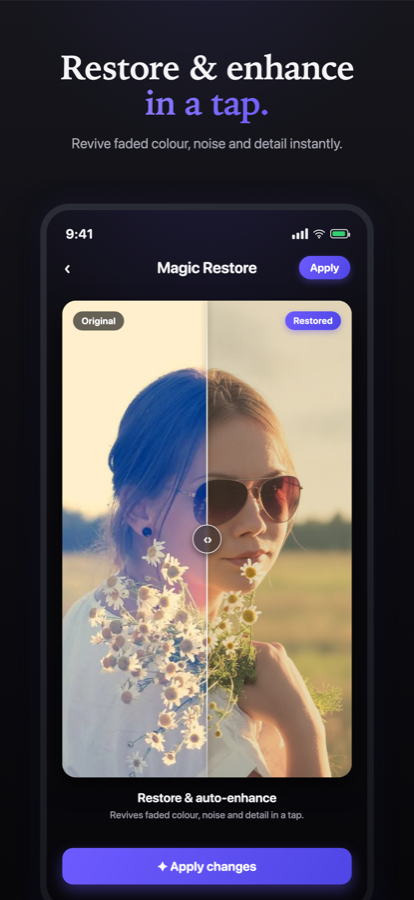
Auto Enhance and Photo Repair
One tap balances light, colour and detail; Photo Repair takes scratches, noise and faded colour out of old shots.
Replace sky or background
Swap a dull sky, or describe the scene you want behind your subject, matched to the light already in your photo.
Extend Frame
Extend a photo past its edges, so nothing has to be cropped to fit.
See the difference before you commit.
Your best photo is already in your camera roll.
Download Lumea and bring it out in a tap. Free to start on iPhone and Android.